Create Your Passport Photo
Upload or take a photo. We check the photo automatically before payment.
Works with iPhone and Android photos
Checking your photo...
Please wait a moment.
⚠ Photo Does Not Meet Passport Requirements
Please retake the photo and upload a new image.
✅ Passport Photo Approved
Your photo passed our automatic check.
Choose Your Photo Option
Your photo is approved. Select a package to continue.
✅ Your Image Was Sent for Professional Review
Thank you for your order.
What Happens Next?
Your passport photo has been submitted to our team for expert review.
Please allow 3–5 business days for professional image verification.
If corrections are needed, we will contact you. Once approved, your final files will be delivered by email.
Review & Download
Download your clean passport photo files below.
Passport Photo Online Now
Create U.S. Passport Photos Online From Your Phone
Upload from your phone, pass our automatic check, then choose a digital passport photo or printable sheet.
Fast Passport Photos From Your Phone or Computer
How to Take Your Passport Photo
Choose the method that works best for you. For the highest approval chance, use a plain white or off-white wall or door, face the camera directly, remove glasses, and keep both ears visible.
Have Someone Take Your Photo
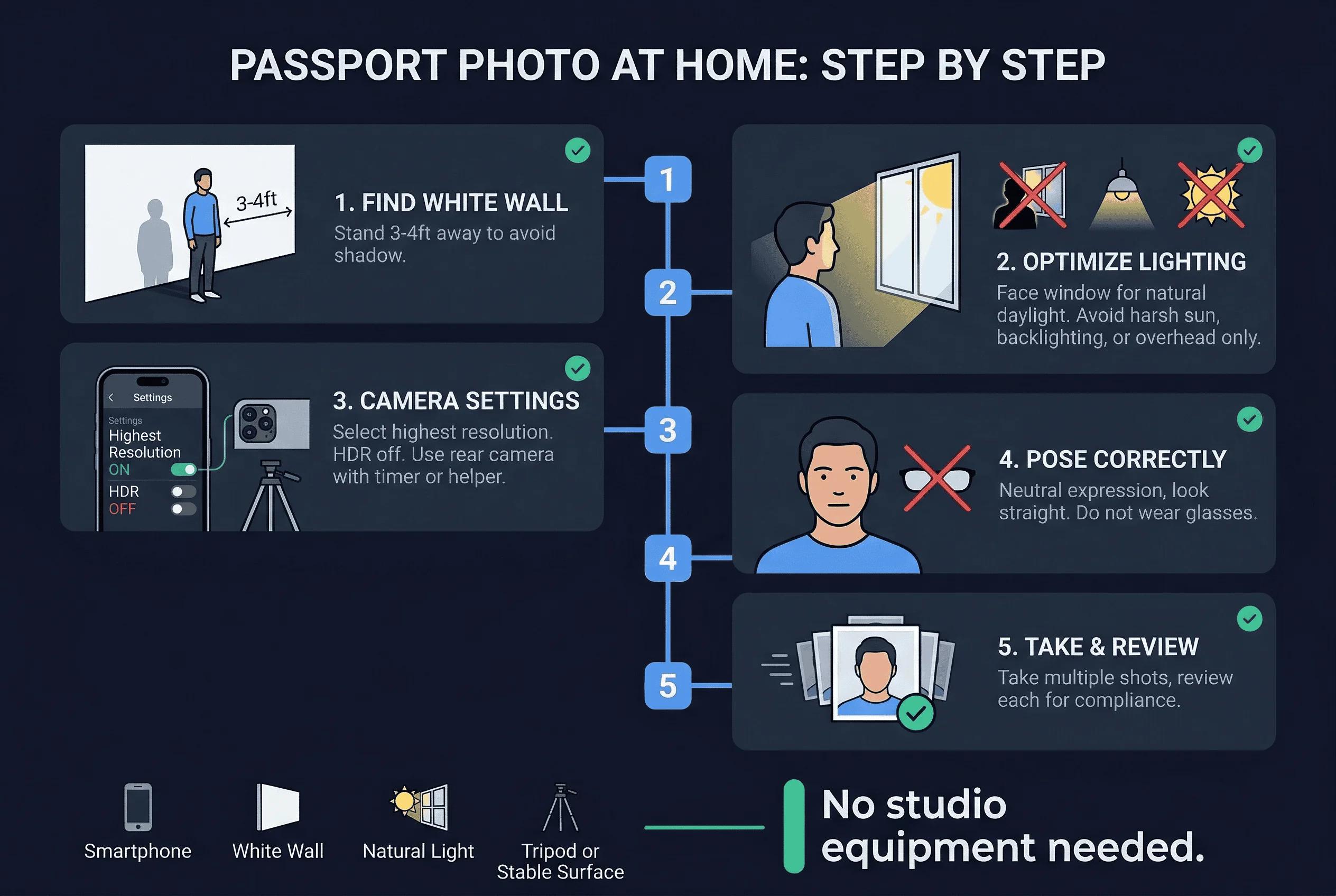
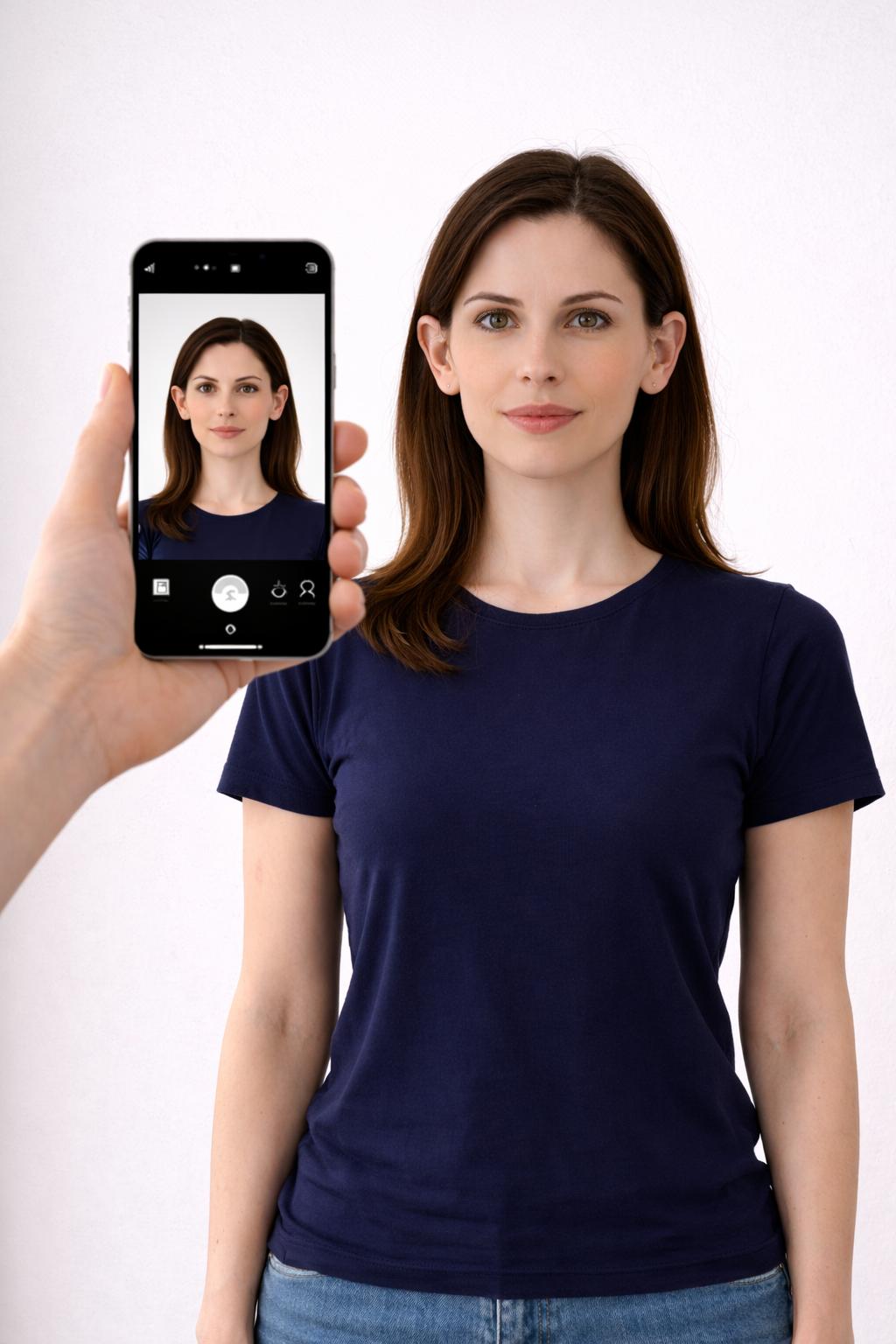
Stand straight in front of a plain wall or door. Ask someone to hold the phone level with your face and take the photo straight on.
Take Your Own Photo Using a Timer
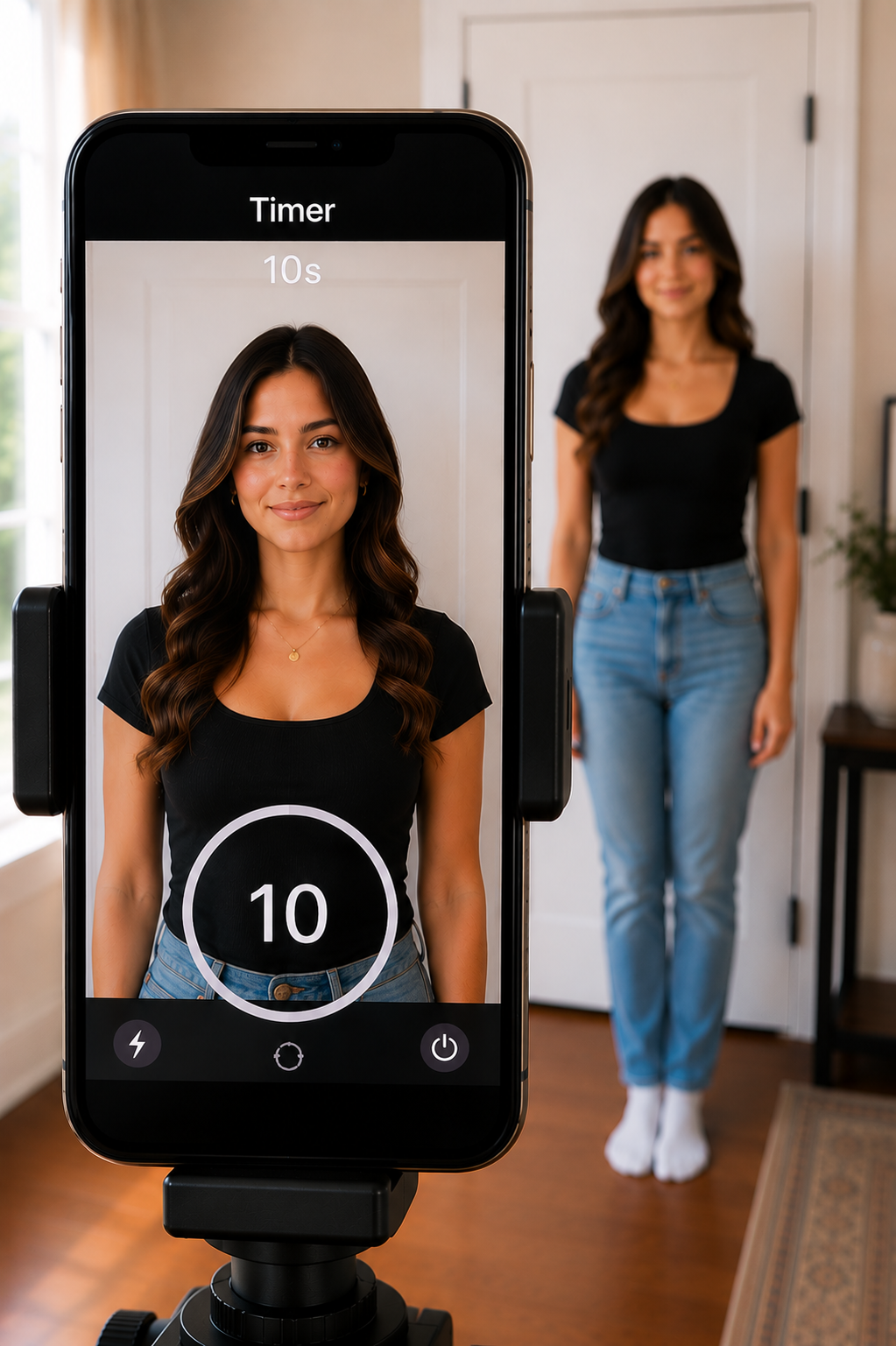
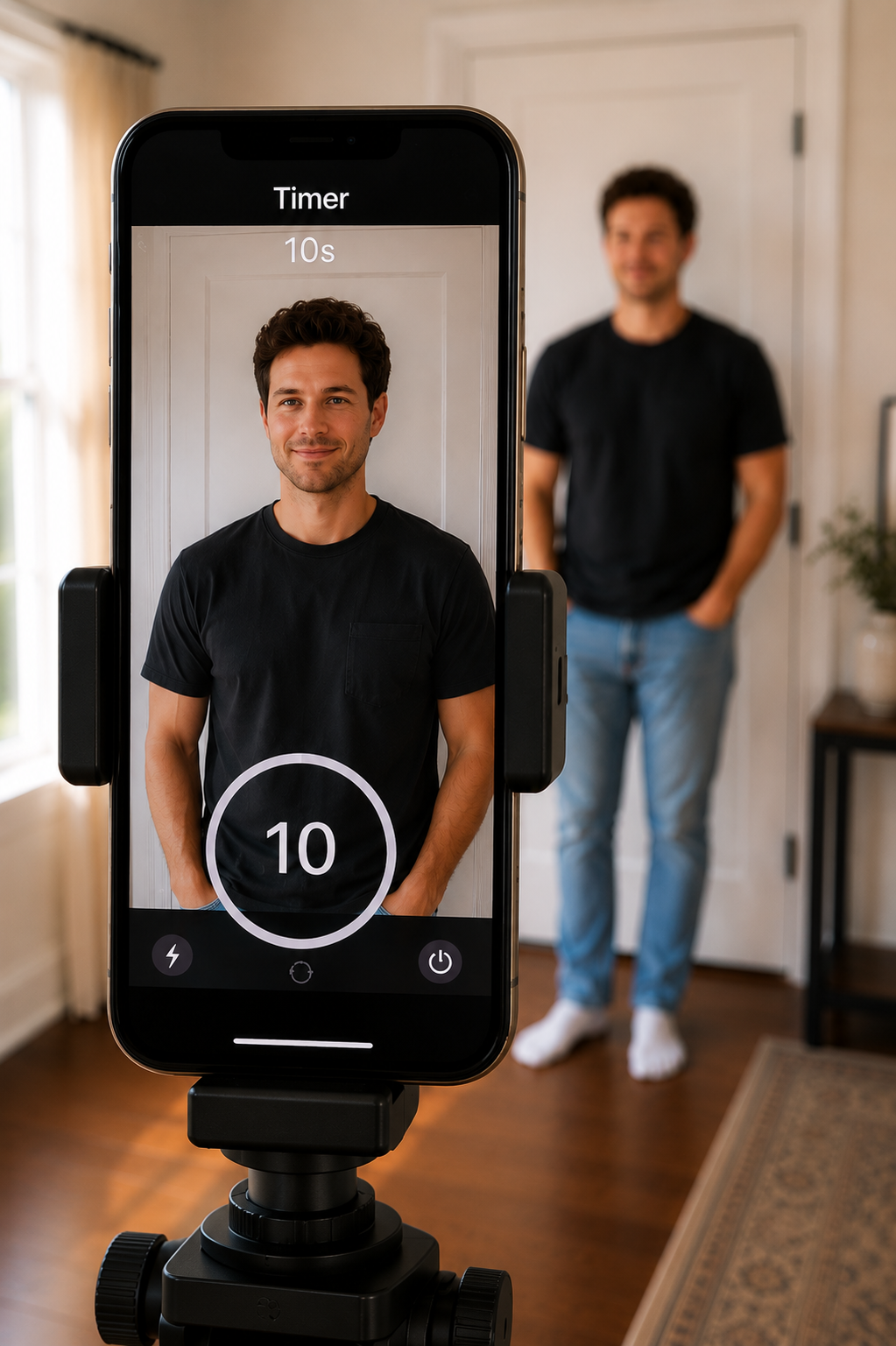
Place your phone on a tripod or stable surface, set a 10-second timer, stand 4–6 feet away, and look directly into the lens.
Ready when you are
Create Your Passport Photo Now
Use your iPhone, Android, or computer. We check the photo first, then you choose your digital or printable option after approval.
How It Works
Passport Photo FAQTap to open
Can I take my own passport photo with my phone?
Yes. Use a clear, front-facing photo against a plain white or off-white background with even lighting.
Can I wear glasses?
No. U.S. passport photos should be taken without eyeglasses. Before checkout, you must confirm that the approved photo does not show eyeglasses.
What do I receive with the digital option?
You receive a high-resolution 2x2 digital passport photo for online submission. The $15.95 digital option does not include the 4x6 print sheet.
Can I get a 4x6 print sheet?
Yes. Choose the Digital + 4x6 Print Sheet option for $18.95 if you want the ready-to-print sheet.
What if the checker rejects my photo?
You will be asked to retake and upload a new image. Manual adjustments are not shown after a failed check.
Upload / Take Photo
Position Face
Background
Check Photo
Review
Payment
Download
1. Upload Photo
Best results: recent color photo, straight-on face, neutral expression, both eyes open, plain white or off-white background.
No photo uploaded yet.
2x2 Passport Preview
Guides are preview only and are removed from downloads. Head height should be 1"–1⅜" from chin to top of head. Use ↺/↻ for 90° rotation, or -1°/+1° for precise straightening.
2. Adjust
Tip: Drag directly on the 2x2 preview to move the image. Use your mouse wheel or trackpad over the preview to zoom.
For best passport acceptance, photograph the customer on a true white background instead of digitally replacing the background.
4x6 Print Sheet Preview
Preview is protected with a visible watermark. Downloads export clean files with no guide lines or preview watermark.
Passport Photo Approval Check
This built-in check reviews basic issues before printing. The official State Department Photo Tool cannot be automatically run from this website, so use the button below for final manual review.
Passport Compliance Score
The score updates when you click Check Photo Before Printing. Any photo change resets the score.
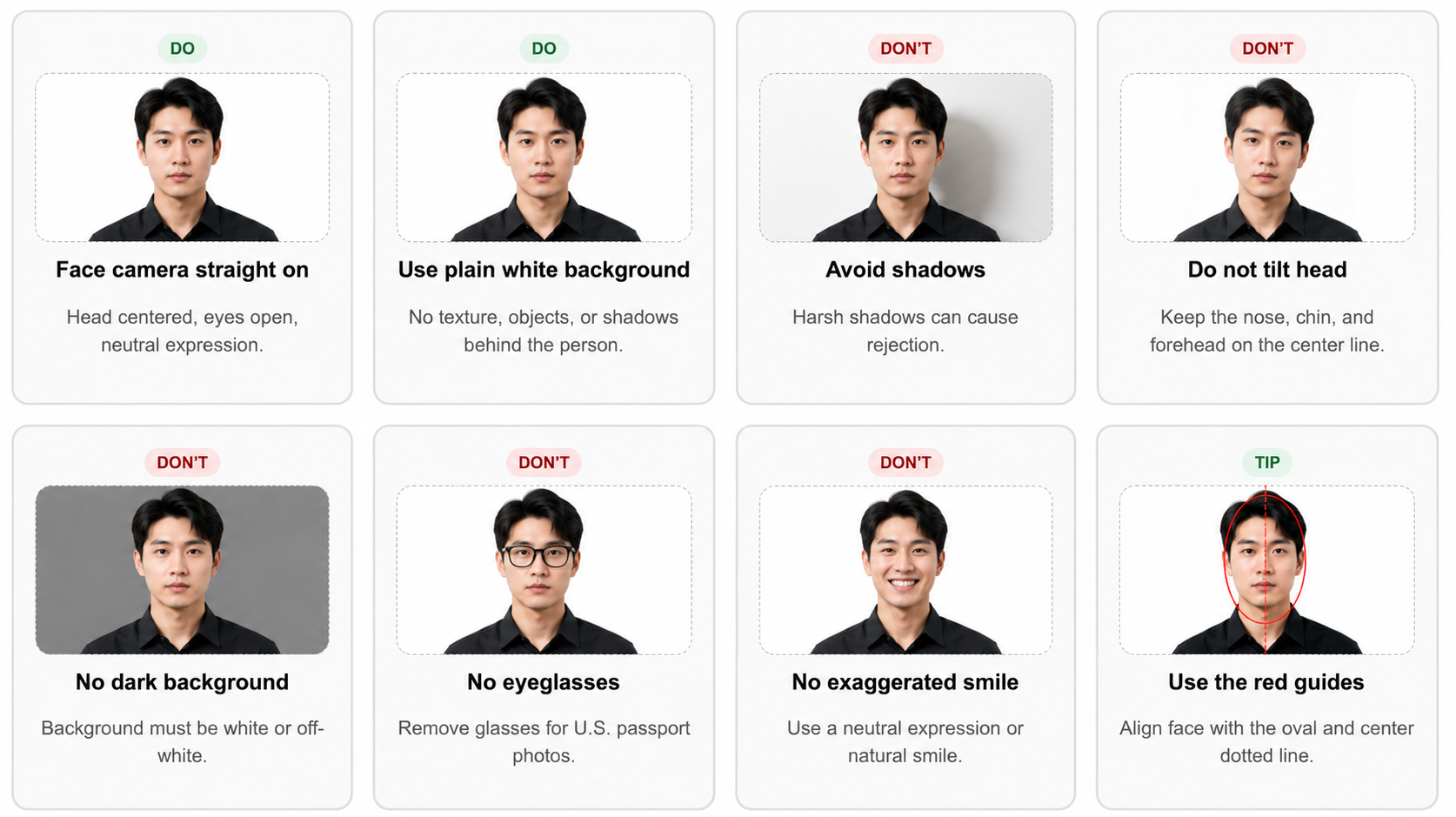
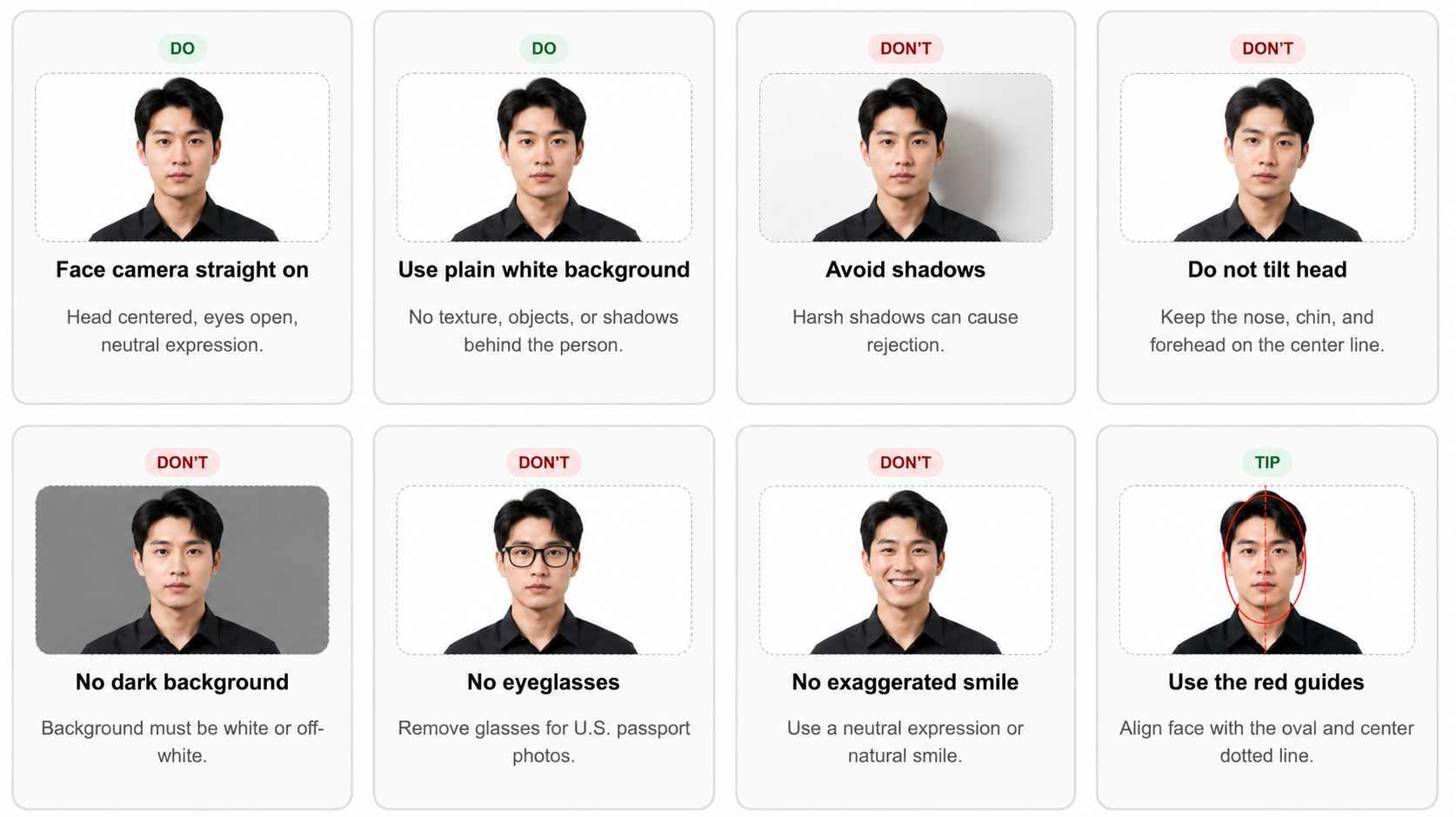
Passport Photo Do's and Don'ts
Follow these examples before uploading or taking a photo. The best result is a new photo taken in good lighting against a plain white or off-white background.
Initial check passed
Review the results below before downloading.
1"–1⅜"
Please fix the photo before continuing.
The photo did not pass. Fix the items below, then run the check again.
Built-in USA passport sizing
- Passport photo: 2 x 2 inches.
- Head size guide: roughly 1 inch to 1 3/8 inches from chin to top of head.
- Background should be plain white or off-white.
- Print on matte or glossy photo-quality paper.